
Manual APK Installation on Android: Benefits Most Users Don’t Know About
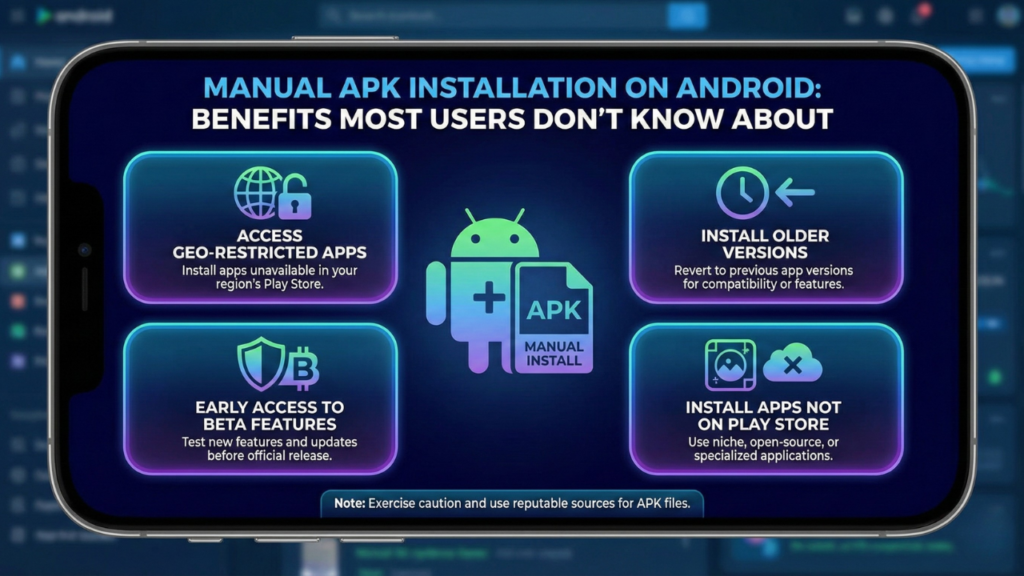
Let me guess—you’ve seen the “Install blocked” warning on Android and thought, Why would anyone do this manually? I used to think the same way. Then I tried manual APK installation once, and honestly, it changed how I use Android. Ever noticed how some apps update late or never show up on Google Play at all? That’s where manual APK installs quietly shine. 🙂
Manual APK installation isn’t just for tech geeks. It gives regular users more control, better access, and fewer limits than most people realize. Let’s talk about the benefits most Android users completely overlook.
What Manual APK Installation Actually Means
Manual APK installation simply means installing an app using its APK file instead of the Play Store. Android allows this by design, which already says a lot.
You download the APK, allow installation from a trusted source, and install the app yourself. Simple, right? But the advantages go way deeper than convenience.
Benefit #1: Access Apps Not Available in Your Region
This is the biggest reason people start using APKs.
Why This Matters
Some apps launch slowly across regions. Others never appear in certain countries at all.
With manual APK installation, you can:
- Install region-locked apps
- Access early releases
- Use apps unavailable in your country
Ever waited months for an app update while everyone else already used it? Manual installs fix that instantly.
Benefit #2: Faster Updates Without Waiting
Play Store rollouts often happen in stages.
What Manual Updates Change
Manual APK installs let you:
- Update apps immediately
- Skip delayed rollouts
- Test new features early
I once waited weeks for an update that fixed a bug. A manual APK solved it in five minutes. IMO, that alone makes it worth learning.
Benefit #3: Keep Older Versions That Actually Work Better
New updates don’t always improve things.
Why Older Versions Matter
Some apps:
- Remove useful features
- Add bugs
- Run slower on older phones
Manual APK installation lets you downgrade safely and keep a version that runs smoothly. Ever updated an app and immediately regretted it? Yeah, this avoids that pain.
Benefit #4: Better Control Over App Behavior
Manual installs give you control the Play Store doesn’t.
What You Control
- When to update
- Which version to install
- Whether to skip buggy releases
This control matters, especially if you rely on certain apps daily. Android feels more “yours” when you decide what runs on it.
Benefit #5: Lightweight APKs for Low-End Devices
Not every phone handles heavy updates well.
Why Manual APKs Help
Some APK versions:
- Use less storage
- Consume less RAM
- Run smoother on budget phones
I tested a lighter APK version on an older device once, and the difference felt massive. The app finally stopped lagging.
Benefit #6: Fix Play Store Errors Instantly
Play Store errors happen more often than people admit.
Common Issues Manual APKs Solve
- “App not installed”
- Download stuck at 99%
- Update failures
- Play Store crashes
Manual installation bypasses all of that. No account issues, no cache clearing loops—just install and move on.
Benefit #7: Useful for App Testing & Learning
Developers and advanced users love manual APKs.
Why It Helps
- Test different builds
- Compare versions
- Learn Android behavior
Even non-developers benefit by understanding how apps behave across versions. FYI, Android gives you this freedom for a reason.
Why Source Quality Matters More Than the Method
Manual installation itself isn’t risky. Bad sources are.
That’s why users rely on trusted platforms like royal dream apk to download clean, verified files instead of random links. A good source removes most risks people associate with APKs.
One clean APK beats ten shady ones—every time.
Simple Safety Tips for Manual APK Installation
You don’t need advanced knowledge—just smart habits.
Always Do This
- Check app permissions
- Match file size with official versions
- Install only what you need
- Stick to trusted platforms like royal dream apk
Ever wondered why people say APKs are risky? It’s usually because they skipped these basics.
When Manual APK Installation Makes the Most Sense
Manual installation works best when:
- An app isn’t available in your region
- Updates roll out too slowly
- Older versions work better
- Play Store fails repeatedly
In these cases, manual installs feel less like a workaround and more like a smart choice.
Final Thoughts
Manual APK installation gives Android users something powerful—choice.
Once you understand the benefits, Android stops feeling restricted. You decide when to update, what to install, and which versions work best for you.
Remember:
- Manual APKs equal control
- Source quality matters most
- Smart habits remove risk
Used correctly, manual APK installation isn’t risky—it’s one of Android’s biggest advantages.